bestogel Casino Mobile App
Our bestogel app brings football markets, live-dealer tables, and slot games directly to your mobile device. Android and iOS users can access the platform via dedicated app or browser, depending on your device and preference. Installation takes a few minutes and requires standard device permissions for notifications and account verification.

- Update
- StartFirst Game
- SHA256 Match
Mobile-first design means you can check Liga 1 odds, deposit via e-wallet or mobile banking, and access live blackjack from anywhere. The bestogel app is optimized for speed on slower connections and uses minimal storage. Whether you are in Jakarta, Surabaya, Bandung, or Medan, installation is the same across Indonesia.
We do not offer our services in jurisdictions where online wagering is prohibited. By installing and using the bestogel app, you confirm that you are in a jurisdiction where our services are permitted by local law. Account security—two-factor authentication, password encryption, and KYC verification—works the same on app and browser.
Get bestogel on your device
We at bestogel offer three paths to access our platform. Android users can download the official APK directly. iOS users can access bestogel via Safari or other mobile browsers without a separate app store download. Web users on desktop or mobile can access bestogel through any modern browser. All three methods connect to the same account and payment system.
How to install bestogel
Installation follows the same steps whether you choose Android APK or browser access. We recommend reading each step before you start, especially the permission notices that appear during installation.
- Download the APK or open Safari. Android users download the bestogel APK file to their device. iOS users open Safari and navigate to bestogel.id. Both paths lead to account registration.
- Tap Install or Add to Home Screen. Android shows an install prompt after download. iOS users can add bestogel to their home screen for quick access. Browser users skip this step.
- Accept permissions and complete registration. bestogel requests permission for notifications (optional but recommended for match alerts), location verification (part of KYC), and camera access (for photo ID during account setup). You can grant or deny each permission.
- Log in and verify your account. After registration, log in with your username and password. Complete Know Your Customer (KYC) verification by uploading a valid ID. Two-factor authentication is optional but recommended for account security.
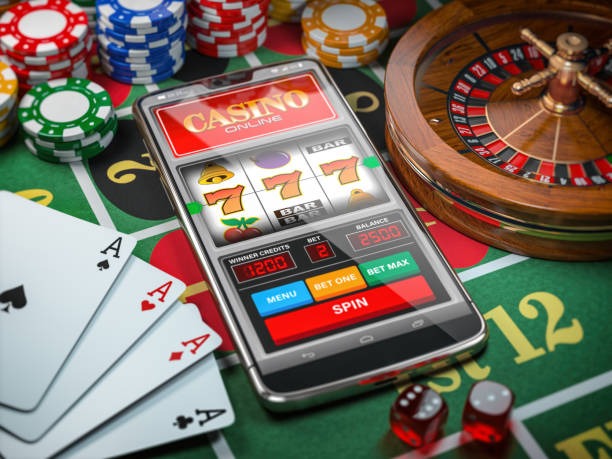
Choosing between bestogel app and browser
The bestogel app and mobile browser offer the same games, payments, and account features. The main differences are speed and convenience. Our app caches game data locally, so it loads faster on slow mobile connections. The app sends push notifications for match alerts, new games, and account notifications. Browser users receive notifications only when the browser tab is open. The app uses less data overall but requires more device storage. Browser access works on any device without installation. Choose the app for daily use and the browser for occasional access or if you prefer not to install software.
Device requirements for bestogel
Our bestogel app works on Android 7 and later (most devices released in 2016 and newer). iOS users need Safari on iOS 12 and later (most iPhones and iPads released in 2018 and newer). Your device must have at least 100 MB of free storage for the app. Tablets work on both platforms; the interface adapts to screen size automatically.
Troubleshooting common installation issues
Android users may see a warning "Unknown sources" when installing the APK. This is normal because Google Play Store is not the installation source. To proceed, go to your device Settings > Security > Unknown Sources and enable installation from unknown sources. After installation, you can disable this setting again. iOS users may be asked to trust the bestogel certificate during the first launch. Tap Settings > General > VPN & Device Management and trust the bestogel profile. This ensures secure communication between your device and our servers. If the app refuses to open after installation, restart your device and try again. If you receive a "storage full" message, free up space by deleting unused apps or files, then reinstall bestogel. Contact our support team via live chat if installation fails after these steps.

Data, permissions, and account security on bestogel
The bestogel app requests several permissions during installation. Camera access is used only for photo ID during Know Your Customer (KYC) verification—your ID image is deleted from your device after verification and stored securely on our servers. Location access helps confirm you are in a jurisdiction where our services are permitted; this data is not shared with third parties. Notification permission is optional and allows us to send you match alerts and payment confirmations. Contact access is not requested; bestogel does not read your phone contacts. Your account data—username, email, payment methods, gameplay history—is encrypted in transit and at rest. Two-factor authentication adds a second security layer: after you enter your password, you must confirm a code sent to your registered phone number. We recommend enabling two-factor authentication on any account with linked payment methods. If you suspect unauthorized access, change your password immediately and contact support.
Making deposits and withdrawals on bestogel
Our bestogel app supports all major Indonesian payment methods: DANA, e-wallet, mobile banking, local payment, online payment, e-wallet, and bank virtual accounts via mobile banking, local payment, online payment, and e-wallet. Deposits are processed instantly; withdrawals are reviewed for security and completed within a standard processing window. Your payment method is stored encrypted on our servers. You can update your preferred withdrawal method anytime in account settings. All transactions appear in your account history with timestamps and amounts.